
1. What it replaced
Most small service businesses run on the same patchwork, and this one did too. Leads arrive by email and sit in an inbox. Quotes live in documents. Invoices come from a separate billing tool. Client files go back and forth as attachments. Contracts get signed in yet another app. Each piece works on its own, and each one is another subscription.
The real cost isn't the subscriptions, though. It's the retyping. The same client name, address and scope get entered three or four times, once per tool, and every copy is a chance for a mistake. Nobody has one screen that says where a job stands, who owes what, and what's waiting on whom.
The test: if you can't answer "what's outstanding right now?" without opening three tabs, the tools are running you, not the other way around.
2. What it does day to day
One record follows the work from start to finish, so nothing gets typed twice. Here's what that looks like across a normal week.
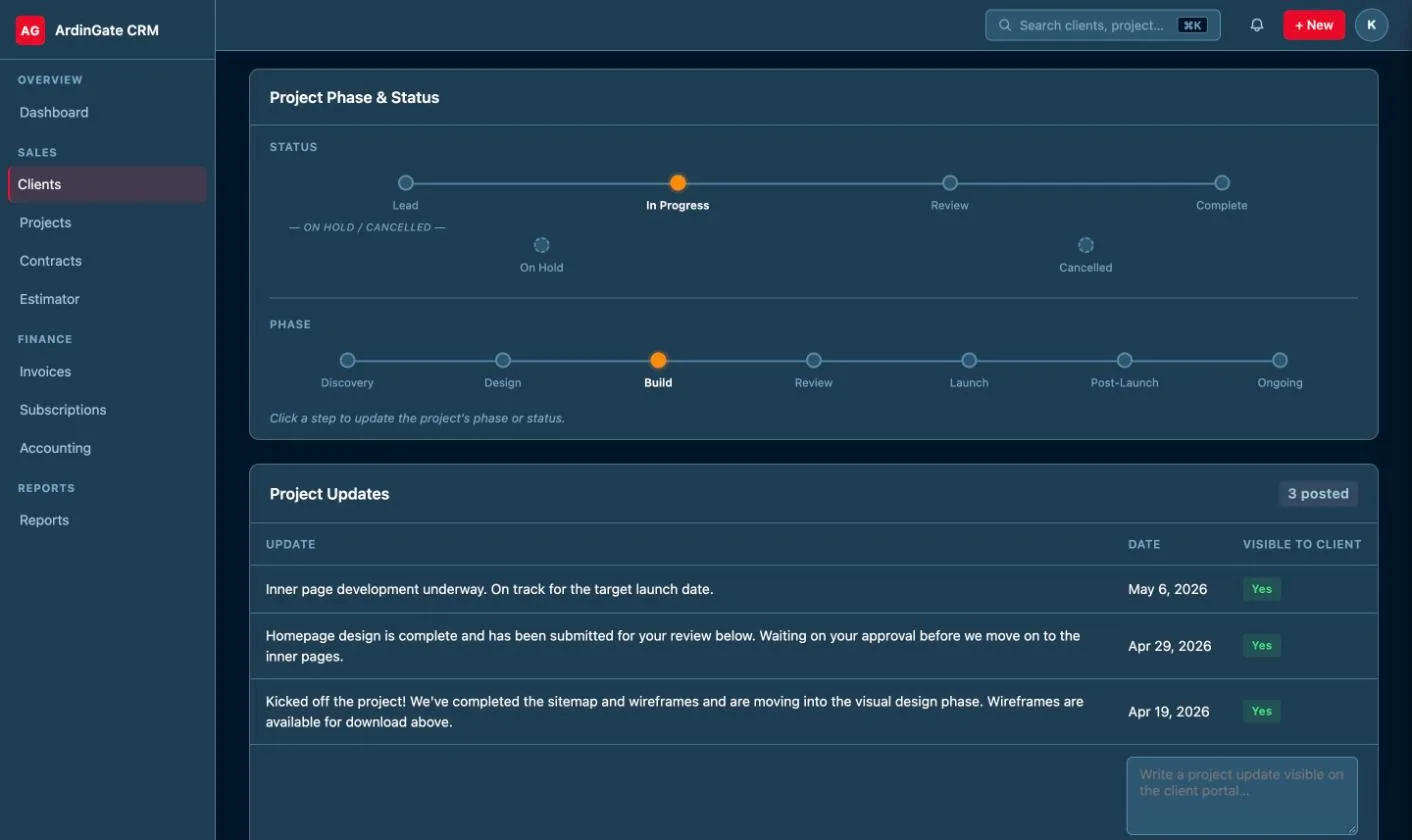
From lead to paid invoice, without retyping
When someone fills in the contact form on this site, it lands in the CRM as a lead with everything they wrote. A lead converts to a client with one click, and the details carry over. The client gets a quote; when they approve it, the invoices and a draft contract are created from that quote automatically, on whatever schedule the job calls for: paid in full, split into deposit and final payment, or billed monthly or yearly.
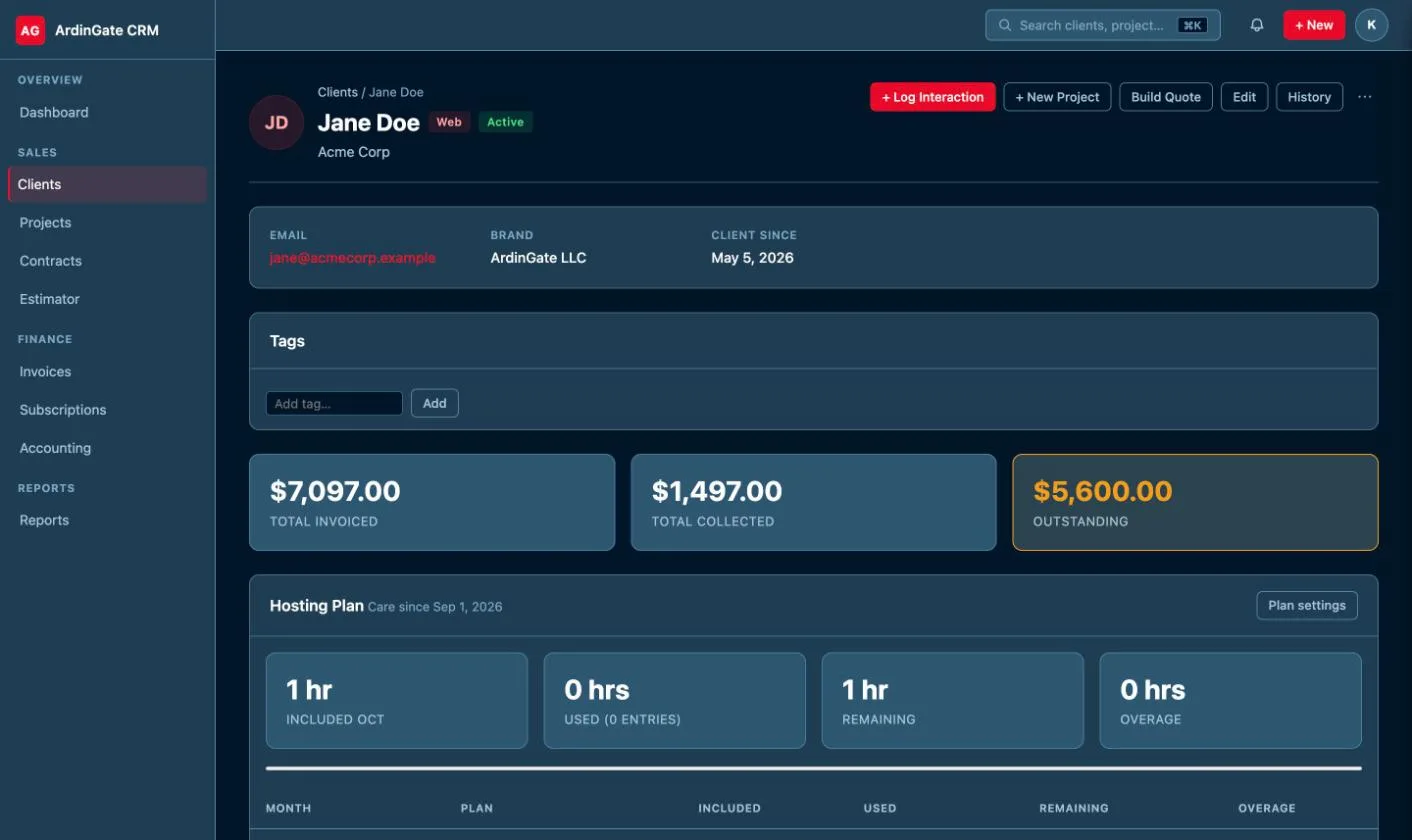
Payments that update themselves
Clients pay invoices online by card through Stripe. When the payment goes through, the invoice is marked paid (or partly paid) on its own, with no reconciling by hand. Recurring billing for ongoing services, like monthly hosting, runs on a schedule and retries a failed charge automatically.
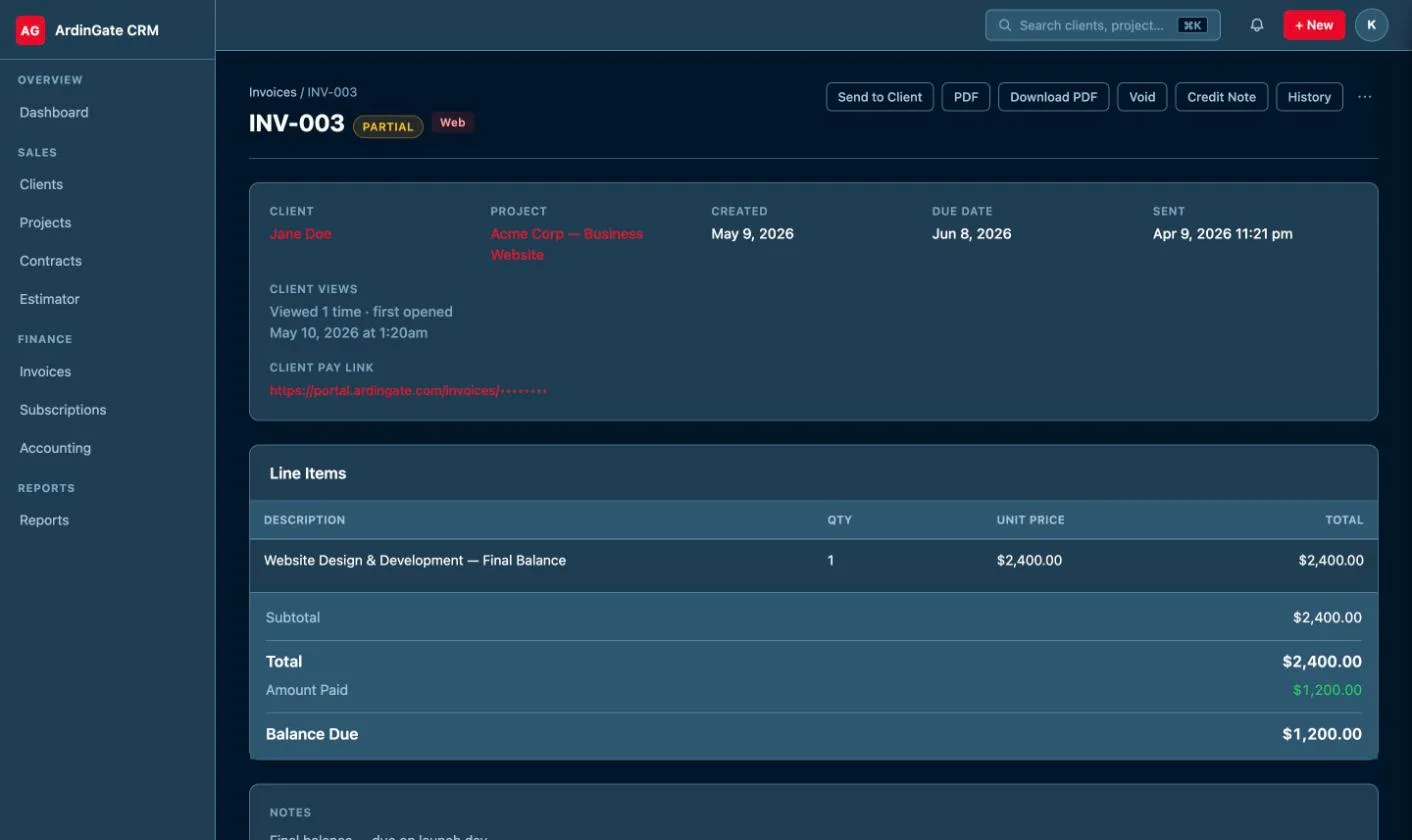
A portal for each client
Every client gets a sign-in to their own portal. There they can see project status, share files, send messages, approve or decline quotes, sign contracts, and view and pay invoices. Each client sees only their own records, never anyone else's.
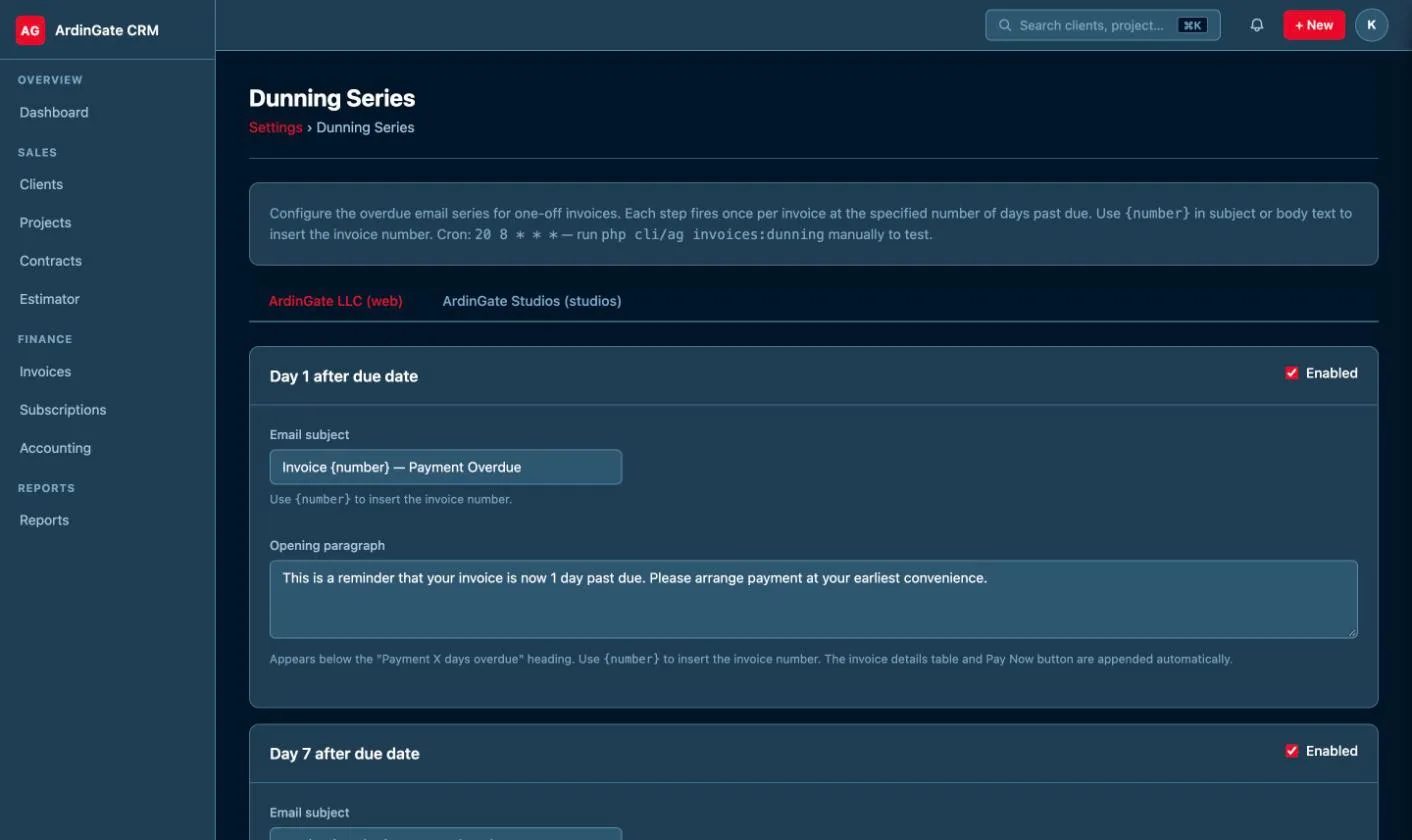
Reminders and follow-ups that run without you
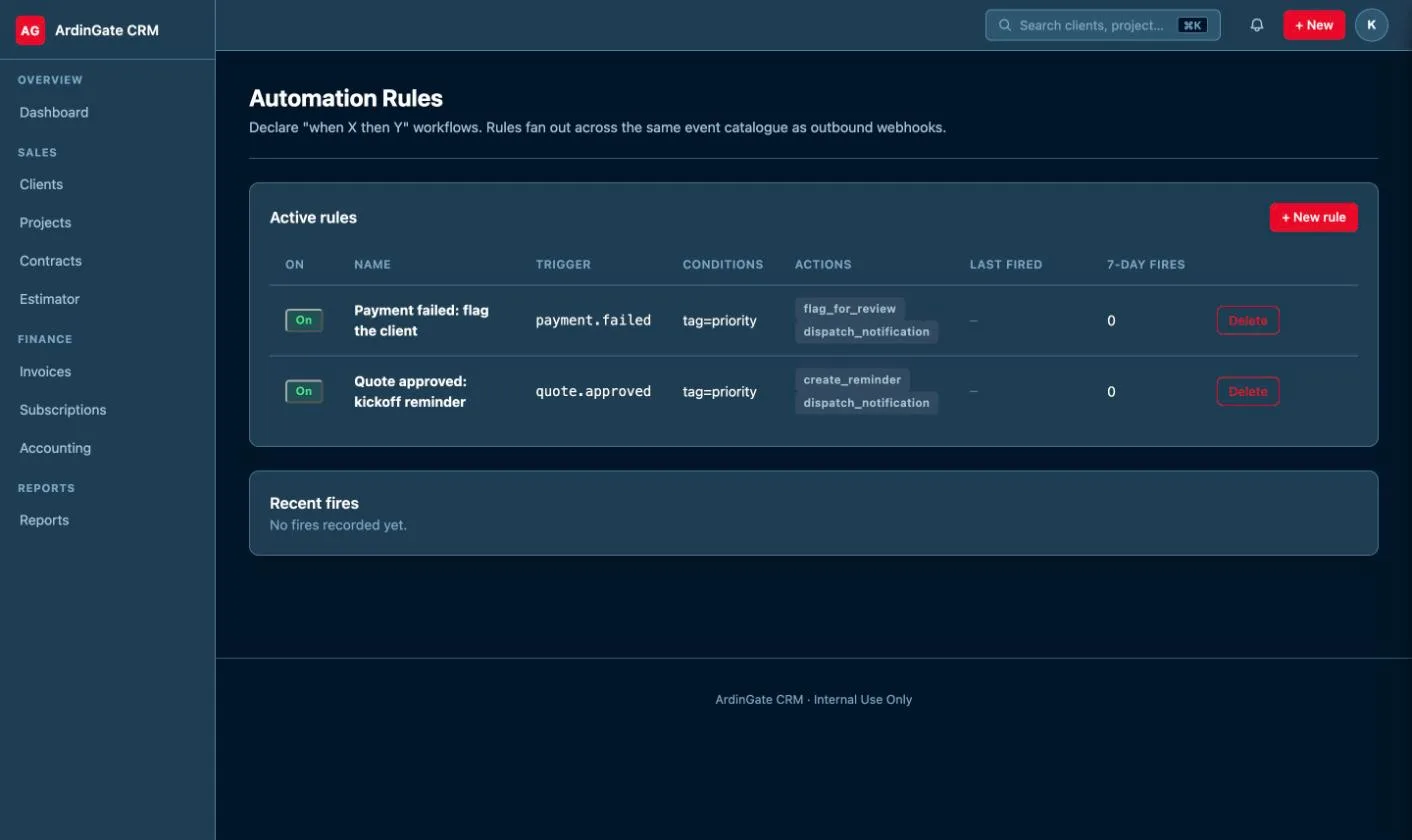
Automations handle the chasing: invoice reminders before and after the due date, a polite escalation sequence for overdue balances, and reminders on quotes that haven't been answered. Rules can also send an email, raise a notification or flag something for review when a set condition is met.
Contracts, time and reports
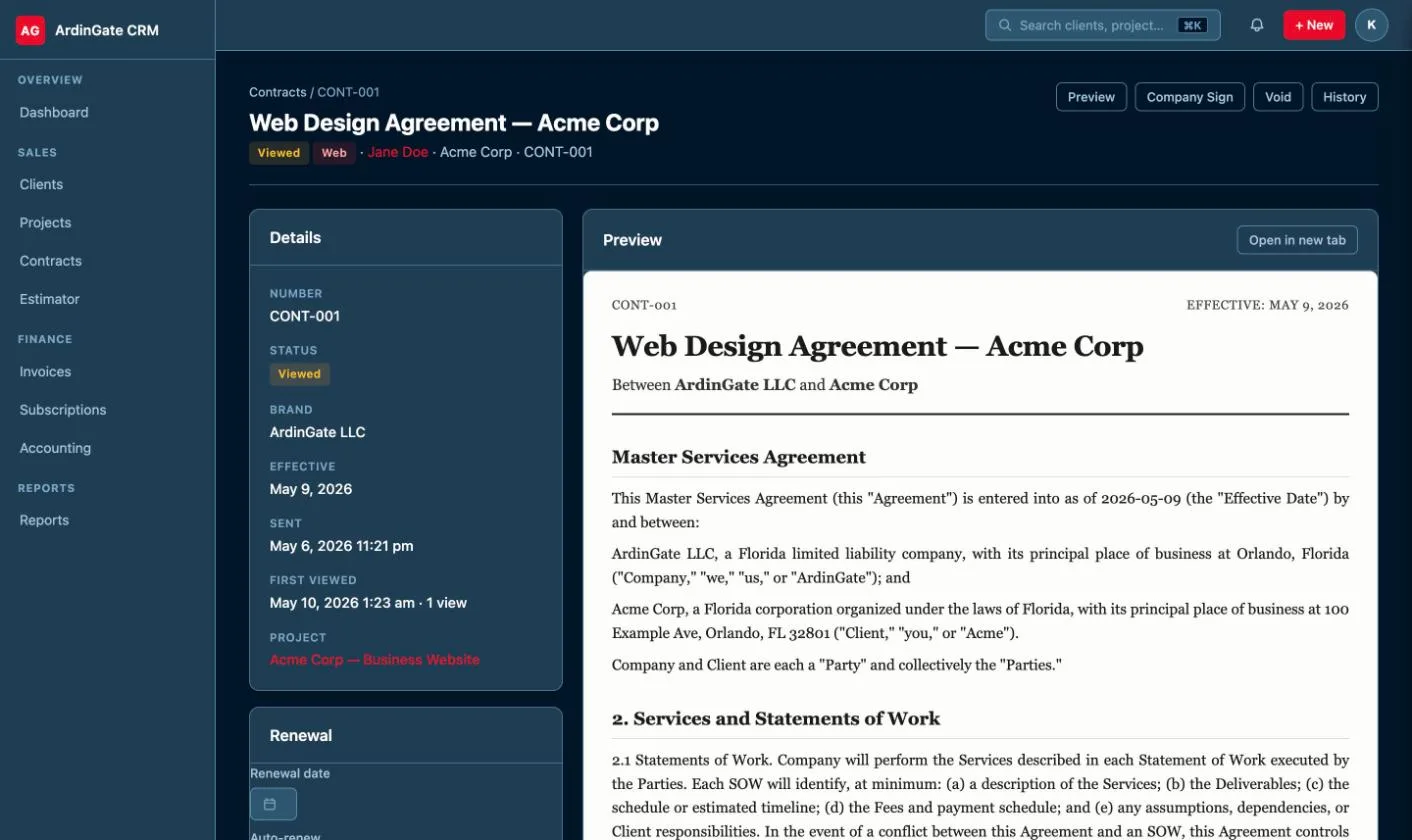
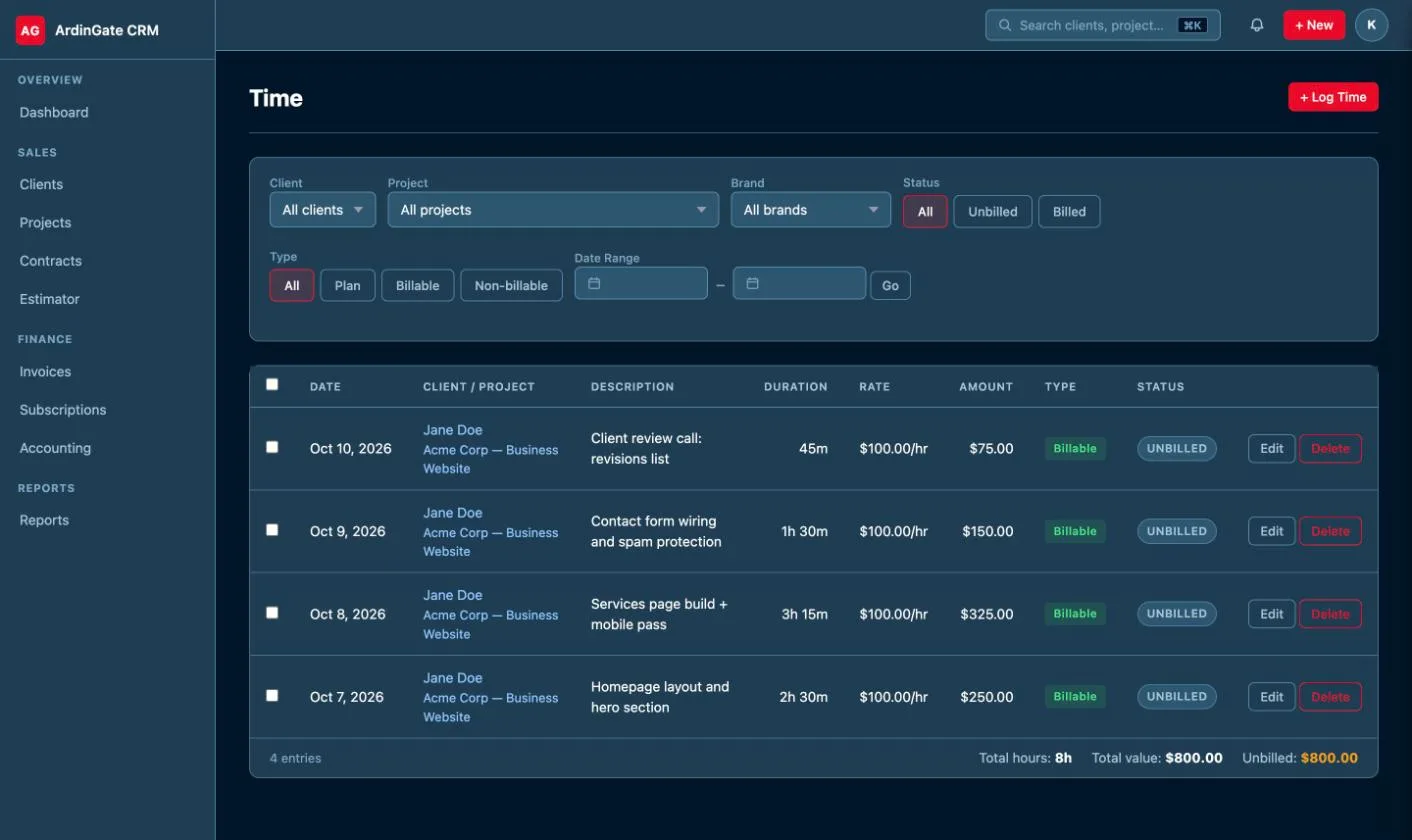
Contracts are built from reusable sections, sent for e-signature, and stored with a signed copy and a signing certificate. Time gets tracked against projects with a running timer or logged after the fact, then billed onto an invoice. Reports cover revenue by client and service, outstanding balances, hours and upcoming recurring revenue, and saved reports can be emailed on a schedule. Expenses are tracked alongside.
Live everywhere, including the phone
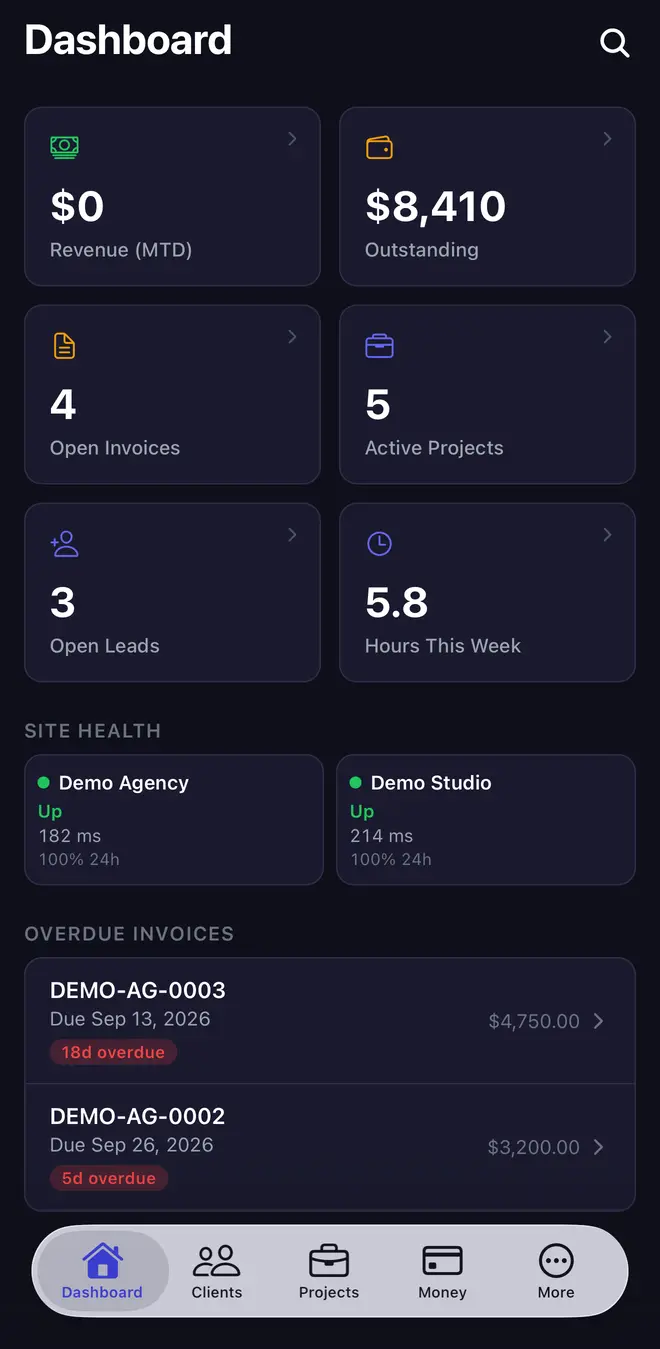
Every open screen updates live. If a client pays while you're looking at their record, the balance changes in front of you without a refresh. There's also an iPhone app that runs the business from a phone: leads, clients, projects, invoices, payments, contracts and time tracking, with push alerts the moment a new lead comes in or a payment lands.
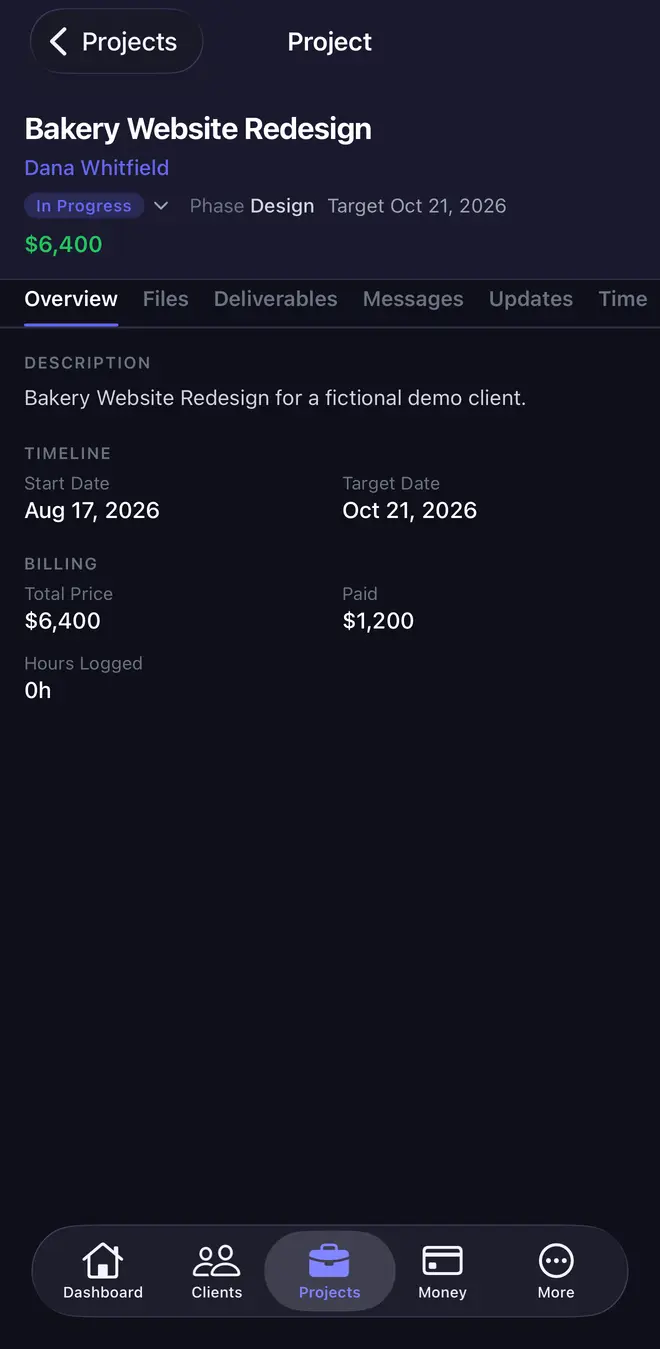
3. How it's built
Nothing exotic. It's a web application written in PHP on a MySQL-compatible database, running on a managed server, with Stripe for card payments. The client portal is a separate sign-in that reads from the same records, which is why nothing has to be synced between them. The iPhone app talks to the same system through a private API, so the phone and the desktop always agree.
The protections are the plain, boring ones that matter:
- Two-factor sign-in for your team, and secure sign-in for clients on the portal.
- Roles, so each person sees and changes only what their job needs.
- An audit log of who changed what, and when.
- Nightly encrypted backups, with a restore tested automatically every month, so a backup is known to work before you ever need it.
You own the code and the data. Nothing is rented, and nothing locks you to one developer or one host.
4. What a system like this costs to run
Built as separate pieces, here's how a system like this prices out. Ranges are published; your number is fixed after discovery.
| Piece | Cost | What it covers |
|---|---|---|
| Basic CRM | $6,000–$11,000 once | Contacts, companies, one pipeline, notes and follow-up reminders. |
| Basic client portal | $5,500–$10,000 once | A sign-in for clients to see their projects, files and invoices. |
| Full client portal | $16,000–$30,000 once | The larger, multi-role version: portal, payments, automations and more, built as one system. |
| Hosting | $60/mo | Server, SSL, nightly backups, uptime monitoring and patches. |
There's no per-user fee. Five people or fifteen, the monthly cost is hosting. Over five years, a basic CRM on Core hosting comes to $9,600–$14,600 all in. Card processing fees from Stripe apply on payments, as they would with any tool.
The system behind this site goes well past these tiers; it grew over years, including a phone app not priced here. Yours doesn't have to start there. See how that compares with subscription CRMs over five years →
5. What yours would look like
Not like this one. A custom CRM starts from how your business already works, not from someone else's template. Discovery covers three things:
- Your pipeline. The stages a job actually moves through, from first contact to done, and who touches it at each step.
- Your paperwork. The quotes, contracts, invoices and forms you send today, and which ones could fill themselves in.
- Your tools. What has to stay (accounting, email, a calendar, a scheduling app) and what can go once the CRM does its job.
A landscaping company might need crews, routes and seasonal contracts. A consultancy might need retainers and time billing. A clinic or studio might need bookings and intake forms. The core is the same idea every time: one record per client, one place to look, no retyping.
6. Common questions
How long does a custom CRM take to build?
It depends on scope, and you get a firm timeline in the written quote after a short discovery call. As a rough guide, a basic CRM (one pipeline, one team, no outside integrations) generally takes 6 to 10 weeks from signed scope to launch. Adding a client portal, payments, or integrations with your other tools adds time, and those are scoped piece by piece so you know what each one adds.
Can I start small and add to it later?
Yes, and it's usually the better plan. Start with the part that hurts most, often leads and quotes, or invoicing, and use it for a few months. Then add the client portal, recurring billing, a phone app or reporting once you know what you actually need. The system behind this site grew exactly that way. Each addition is quoted on its own, and the foundation is built to take it without a rewrite.
Can I bring my data over from my current CRM or spreadsheet?
Yes. Most CRMs and every spreadsheet can export your contacts, companies, deals and notes as CSV files. Those get mapped into the new system during the build, so you launch with your history already in place rather than an empty screen. Records that don't export cleanly, like attached files or email threads, are reviewed with you before launch so nothing gets lost quietly.
Is there a per-user fee?
No. You pay for the build once and for hosting each month (from $60/mo). Adding your fifth or fifteenth person costs nothing extra. Payment processing fees from your card processor still apply, the same as they would anywhere else.
Can AI be added to a custom CRM?
Yes. If you already use an AI service (OpenAI, Claude, Gemini, or any provider with an API), it can be connected to your CRM to summarize notes, draft emails and replies, or answer questions about your records. You keep your own account and pay the provider directly for usage, and nothing it suggests changes your data until someone on your team approves it. Adding it runs $2,500–$6,000.